Repair RAR Files after Header Corruption on Windows PC
The RAR file header holds the necessary details that are essential to access the compressed WinRAR archives. Any damages that occurred to the RAR header will show troubles in opening the files. All the valuable photos, documents, videos, audio, etc. compressed within RAR will remain inaccessible. You will ultimately encounter various errors while you extract the RAR files whose header is broken. The commonly reported error messages due to damages to the RAR archives include-
- “Cannot open a file”
- "WinRAR error the file header is corrupt"
- “CRC failed in the filename. The file is corrupt”
- “It does not appear to be a valid archive file”
- "File corrupted, bad header"
What corrupts the RAR header?
- Improper compression technique
- The partial or incomplete download operation
- Bad sectors on the storage drive that holds the RAR files
- Corruption of RAR after recovery using unreliable apps
- WinRAR application conflicts
- Virus and other malicious threats
Easily fix RAR header corruption
The corruption issues with the RAR header can be easily resolved using the WinRAR Repair software. It is an excellent application performs a deep scan to fix the broken RAR header and returns a healthy RAR file. Within clicks, you can repair and restore the damaged, broken, inaccessible, or unreadable RAR archives. The RAR header repair tool can efficiently get back all your valuable archives without affecting their original content. This award-winning utility is suitable to fix RAR file header irrespective of the reason behind corruption.
WinRAR Repair software is capable to fix RAR files that are encrypted. Even if the RAR file size is greater than 4GB, this tool can efficiently extract it in no time. You can install this application on any edition of Windows operating system. To know more RAR repair on Windows 7 operating system, simply follow the given link: https://www.winrarrepair.net/windows-7.html.
Points to remember!!
- Never use any unreliable application for either compression or extraction
- Install an updated antivirus on your system
- Use an authenticated network for downloading or uploading RAR file
Steps to Fix Corrupted RAR File
Step 1: Open the WinRAR Repair program installed on your PC.
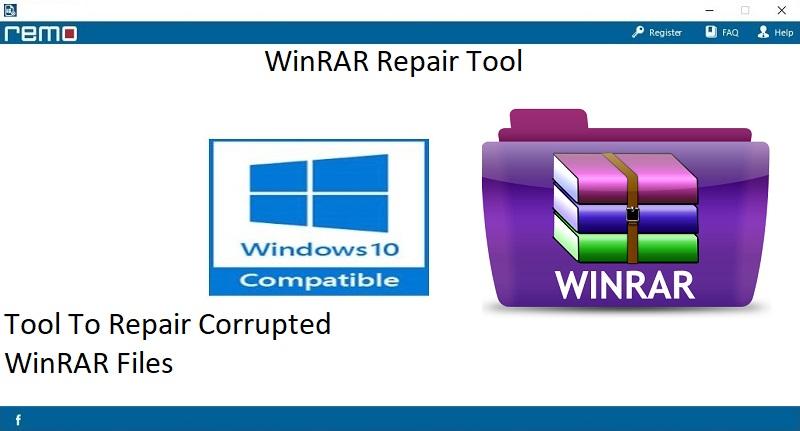
Fig 1: Home Screen
Step 2: Choose the corrupt RAR file using the "Browse" button.
Step 3: Press on the "Repair" button to initiate the fix process.
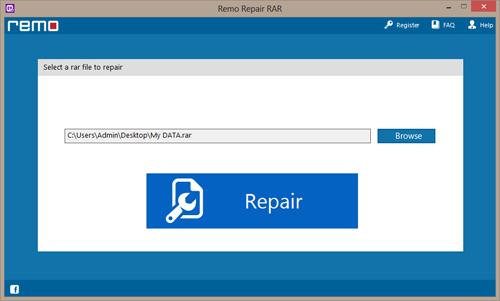
Fig 2: Select the RAR File
Step 4: When repair is complete, you can select your required location using the "Browse" button. Finally, press on the "Save" option.
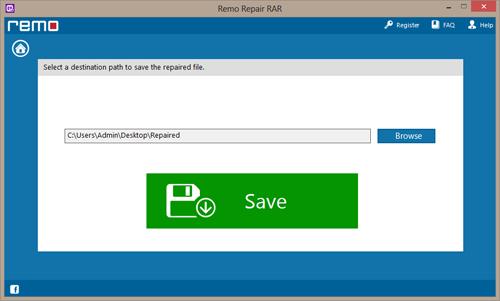
Fig 3: Save the RAR File

