How to Repair CRC Error in WinRAR File?
WinRAR Archive showing CRC Error
WinRar is the best alternative for compressing large files. Alongside this, it is very common to encounter the CRC error message while trying to extract information from the .rar archive. The WinRAR error sates-
- "CRC error: The file, which you are opening might be corrupted"
- "File open error: invalid CRC"
The Cyclic Redundancy Check (CRC) code will be added to RAR files at the time of the creation. This CRC code is used to check the integrity of the data. During the extraction, the checksum is compared with the original value. If there occurs a mismatch between the values, then CRC error will be generated. The dissimilarities in the CRC value might occur whilst it is been transferred over the internet. You will be unable to open files whose CRC is altered due to any reason.
What leads to CRC errors?
Compressed file with .rar container can be inaccessible as the consequence of a number of reasons but among these reasons memory error, read/write error, CRC error, etc are few very common mishaps. The major causes of RAR errors also include- header corruption, incomplete download operation, WinRAR application conflicts, etc.
Important note- As soon as encounter CRC error with .rar archive, you can download particular .rar archive again. There are quite chances of error resolving itself after re-download. Nonetheless, if you face the same problem then immediately use reliable software to repair the .rar archive.
Fixing CRC errors with WinRAR archives
WinRAR Repair is an extraordinary tool that enables you to fix CRC errors at your fingertips. This tool is highly capable of repairing damaged RAR, corrupt archives, and also erroneous RAR files. It is built with an eminent scan engine that automatedly scans the RAR archives and extracts the archives securely without modifying the original contents. Apart from CRC errors, this tool is helpful in fixing various other RAR errors like- filename too long, no files to extract, unknown format, and other RAR extraction errors.
Steps to repair CRC error in WinRAR file
Step 1: Open its main screen of the WinRAR Repair software after successfully launching it on your system.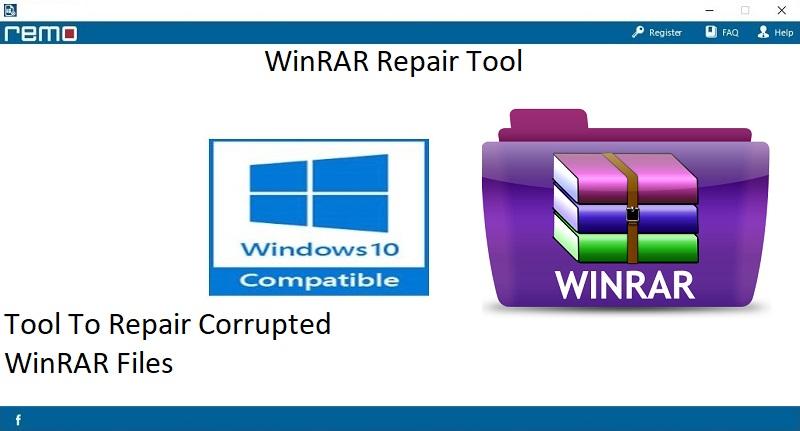
Figure A: Main Screen
Step 2: Browse the particular RAR file showing up CRC error.
Step 3: Continue to click on the "Repair" option.
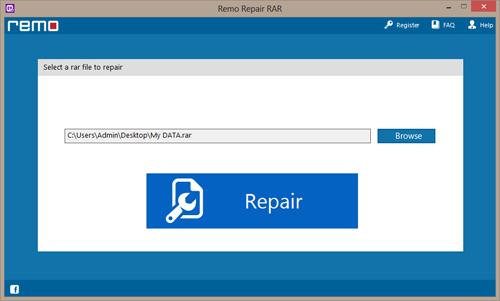
Figure B: Select the RAR Archive
Step 4: Set the location where you wish to save the repaired RAR file. Hit on the Save button.
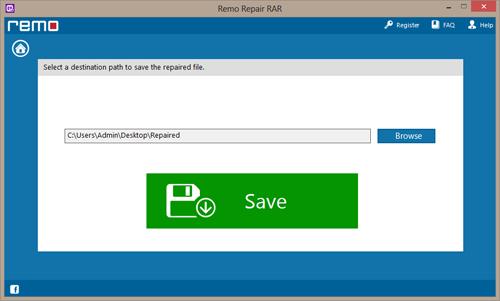
Figure C: Save Repaired RAR Archive

