Get Detailed Information About How to Extract Large RAR Files
Have you ever come across issues in extracting large-sized RAR archives during extraction? If yes, then have you stepped in the right place. Here you will get detailed information about how to extract large RAR files. There are various scenarios behind the corruption of your RAR files. But no matter how the files get corrupted or damaged because you can easily repair them with the help of WinRAR Repair software. This application also helps to get back data from even password-protected RAR files. To get complete information about how to extract data from password-protected RAR archives you can download the free demo version of the software by visiting this page: www.winrarrepair.net/extract-data-from-password-protected.html.
RAR is one of the most important and widely used compression techniques. It permits the user to save their hard disk space by compressing a large number of files that might include pictures, documents, videos, songs, etc. There often arises corruption and errors whilst extracting the compressed RAR files having a large size. that is sent over the internet.
Common causes behind the corruption of the large RAR file
- An abrupt system shutdown while downloading large sized RAR files
- Formation of the bad sectors on the storage drive holding the RAR archives
- Influence of the dreadful virus
- Usage of any unreliable third party tool to create and extract a RAR file
- Improper file conversion techniques
- The CRC errors, application crash, downloading errors, etc.
Damages to large-sized RAR files means that all the vital collection of documents or the media in the compressed archive will remain inaccessible. At this point, you can make use of the WinRAR Repair software to securely perform the RAR extraction.
The best solution to extract large WinRAR files
WinRAR Repair application is been designed by the professional experts by integrating the powerful scanning algorithm to resolve issues with large-sized files. which helps to perform a quick scan of corrupted RAR files and repairs them with few mouse clicks. It is programmed to fix WinRAR files having a size greater than 4GB. The WinRAR Repair tool is just a read-only application i.e. it performs the quick scanning of the damaged RAR file and fixes it by generating a new file, from there you can recover your files.
Features of WinRAR Repair app
- Instantly repairs broken WinRAR files created using any RAR versions
- The simple user-friendly interface offers automated WinRAR file repair and fixes the errors with ease
- It is suitable to run on Windows 10, 8, 7, Windows Vista, XP, Windows Server 2003, and Server 2008
- Helps to extract corrupt RAR files on various storage drives
- Supports fixture of RAR files after CRC errors, WinRAR file name too long errors, no files to extract, and other RAR errors
- Capable to repair even password-protected archives, spanned RAR and split RAR
Steps to Repair Large RAR File
Step 1: Download and install the WinRAR Repair software on your Windows PC.
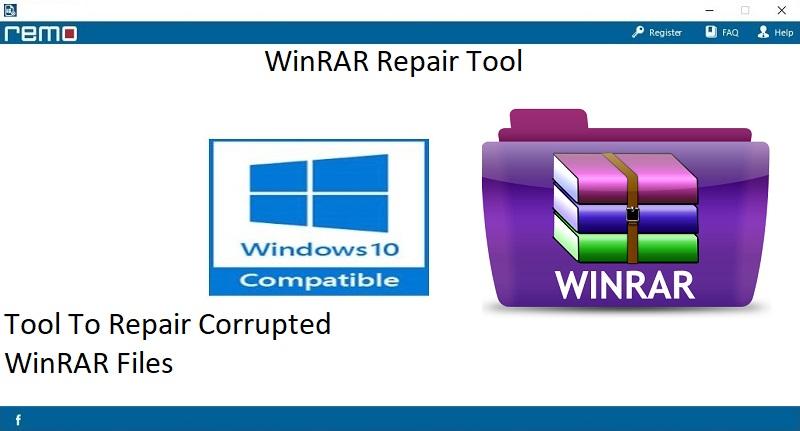
Fig 1: Home Screen
Step 2: Select the large RAR file using the "Browse" button.
Step 3: Press on the "Repair" button to initiate the repairing process of the damaged large RAR file.
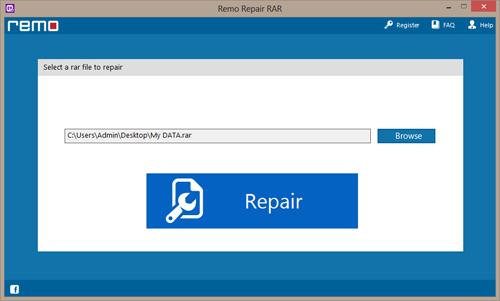
Fig 2: Select RAR File
Step 4: After the completion of RAR file repair, you can choose the desired location to save the fixed WinRAR file.
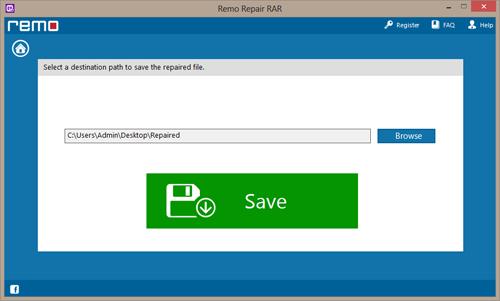
Fig 3: Save RAR File

